
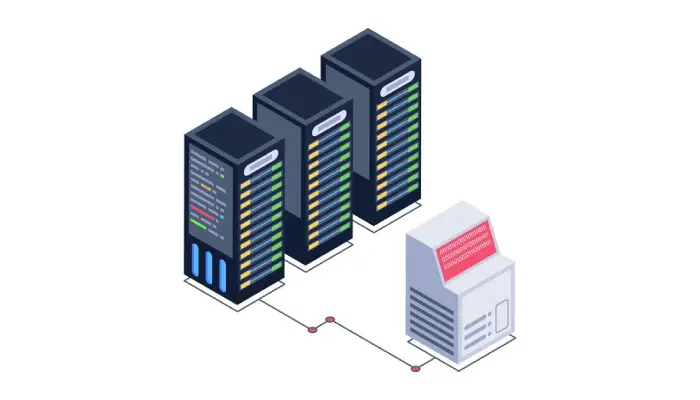
Application Load Balancers offer a wide range of features that make them ideal for managing modern, dynamic web applications and microservices. The primary role of an ALB is to distribute incoming application traffic across multiple targets, such as web servers or containers, to prevent any one server from becoming overloaded. One key feature is the ability to support content-based routing, which allows requests to be routed to different backend services depending on the URL, headers, or request type. For example, traffic for the image files might be directed to one server group, while API requests are directed to another. Furthermore, ALBs support automatic scaling, meaning they can adjust the number of backend instances based on the volume of incoming traffic. This feature is especially beneficial in cloud environments, where traffic can fluctuate significantly.
How An Application Load Balancer Enhances Website Performance?
An Application Load Balancer enhances website performance by distributing traffic intelligently and efficiently, ensuring that no single server is overwhelmed with too many requests. This load distribution minimizes response time and reduces the risk of downtime due to server overload. The ALB achieves this by routing traffic based on a variety of factors, such as the URL path, query string, or even the content type of the request. By doing so, it ensures that resources are used efficiently, with specific requests being sent to the backend servers that are best equipped to handle them. In addition, the ALB enables the optimization of backend server utilization by balancing the load across multiple instances, ensuring that no server is idle while others are under heavy load. This optimization helps maintain fast and consistent response times, even during peak traffic periods. Furthermore, the automatic scaling feature of the ALB allows for the dynamic addition of resources in response to increased demand.

Benefits Of Using An Application Load Balancer In Cloud Environments
In cloud environments, where infrastructure is dynamic and can change rapidly, the benefits of using an Application Load Balancer (ALB) are particularly significant. Cloud environments are often marked by unpredictable traffic patterns, multiple geographic regions, and variable resource availability, making the need for a scalable and flexible load balancing solution critical. One of the key benefits of an ALB is its ability to scale automatically with the increase in traffic, ensuring that applications maintain optimal performance without requiring manual intervention. By distributing traffic efficiently across multiple backend instances, ALBs help ensure high availability, reduce latency, and prevent bottlenecks. Additionally, the ALB integrates seamlessly with cloud-based auto-scaling and container orchestration tools, such as Kubernetes, ensuring that applications can scale horizontally with ease. Another advantage is the ALB’s ability to perform SSL termination, offloading the computationally expensive process of encrypting and decrypting traffic from backend servers, thereby improving overall application performance.
Key Differences Between An Application Load Balancer And A Classic Load Balancer
While both the Application Load Balancer (ALB) and the Classic Load Balancer (CLB) serve to distribute traffic across multiple backend servers, there are several key differences between the two. One of the main differences is the level of control each provides over traffic routing. The ALB offers advanced routing capabilities based on URL paths, hostnames, HTTP headers, and query parameters. This makes it well-suited for microservices and containerized applications, where different services may need to handle different types of traffic. In contrast, the CLB operates at the transport layer (Layer 4) and lacks the ability to perform content-based routing. It simply distributes traffic based on a round-robin or least-connections approach, without considering the content of the request. Another difference lies in the support for modern web protocols. The ALB supports HTTP/2 and WebSocket connections, making it ideal for real-time applications and those that require efficient communication.
Application Load Balancer Vs. Network Load Balancer Comparison
When comparing an Application Load Balancer (ALB) to a Network Load Balancer (NLB), the primary distinction lies in the layer of the OSI model they operate at. The ALB operates at the application layer (Layer 7), while the NLB operates at the transport layer (Layer 4). This difference influences how each load balancer handles traffic and the types of use cases they are suited for. The ALB is ideal for HTTP and HTTPS traffic, where content-based routing, SSL termination, and advanced features such as WebSocket support are essential. The ALB can inspect the content of the request and route traffic accordingly, making it a better choice for applications that require flexible routing decisions based on URL paths, HTTP headers, or query parameters. In contrast, the NLB is designed for handling high volumes of TCP or UDP traffic, where performance and low-latency are the priority.
How To Configure An Application Load Balancer For Optimal Performance?
Configuring an Application Load Balancer (ALB) for optimal performance involves several steps and considerations to ensure that traffic is distributed efficiently and securely across backend instances. First, it is important to define the target groups that the ALB will route traffic to. These target groups can consist of EC2 instances, containers, or IP addresses, and they need to be configured properly to ensure they can handle the expected traffic load. The next step is to configure listeners, which define the protocols and ports that the ALB will use to receive incoming traffic. For example, a listener can be set up for HTTP on port 80 or HTTPS on port 443, with SSL/TLS certificates configured to encrypt traffic. Content-based routing rules can then be set up to direct requests to specific target groups based on the URL path or hostname. For instance, requests for “/images” could be routed to one target group, while API requests could be directed to another.
Application Load Balancer And Traffic Distribution Explained
An Application Load Balancer (ALB) plays a crucial role in efficiently distributing traffic to backend servers, ensuring that no single server becomes overwhelmed. Traffic distribution in an ALB is determined by routing rules that inspect the content of incoming requests, such as the hostname, URL path, HTTP headers, or query parameters. For example, requests for images may be directed to a group of servers optimized for static content, while requests for dynamic API responses could be sent to a different set of servers. This content-based routing allows for better resource allocation, as different types of traffic can be handled by the most suitable backend services. In addition, the ALB supports weighted routing, where traffic can be distributed according to predefined percentages, allowing for A/B testing or gradual rollouts of new features.
Conclusion
In conclusion, an Application Load Balancer (ALB) is an indispensable tool for managing modern web applications, providing a robust solution for efficiently distributing traffic, enhancing performance, and ensuring high availability in dynamic environments. By offering advanced features like content-based routing, SSL termination, and auto-scaling, the ALB plays a critical role in optimizing resource utilization and improving the overall user experience. Whether used in cloud environments or on-premise infrastructures, the ALB helps organizations scale their applications, meet fluctuating traffic demands, and maintain a secure and reliable service. By understanding the features, benefits, and configuration best practices associated with ALBs, businesses can ensure that their applications perform optimally, regardless of the complexity or volume of incoming requests.
Resources URL: